
Queue
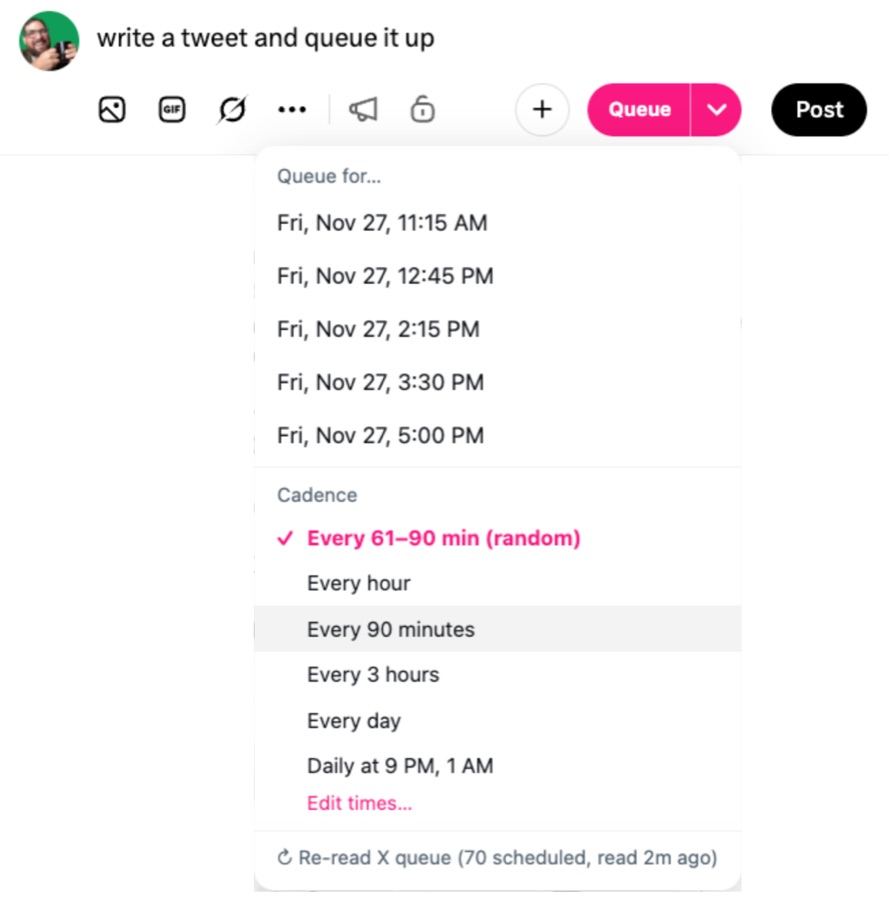
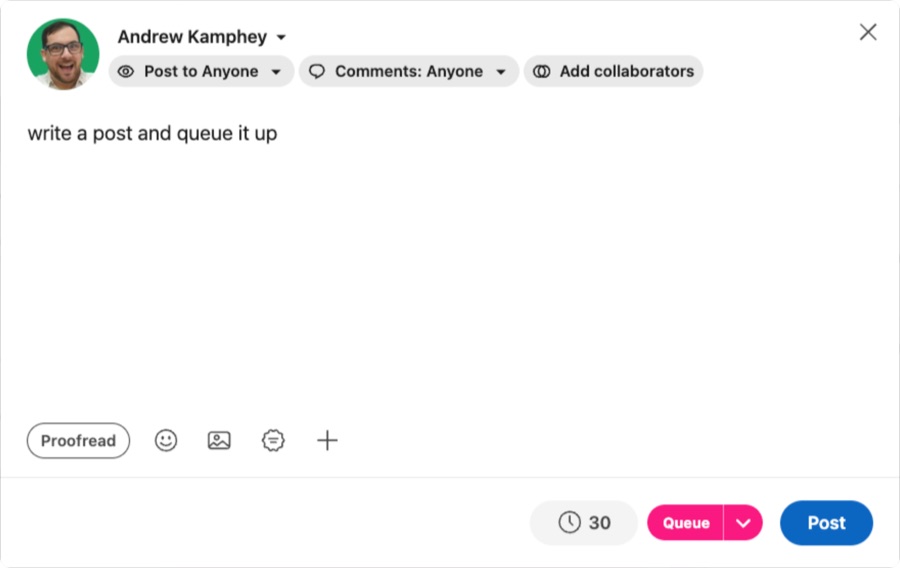
A free Chrome extension that adds a Queue button next to Post on X and LinkedIn. Write your post, click Queue, and it lands in the next free slot.
Free, version 1.0.0, for Chrome. Not in the Chrome Web Store yet, so it installs by hand in about a minute:
- Download the ZIP above and double-click it. You get a folder called
queue-extension. Keep it somewhere it won't get deleted, like Documents. - Open
chrome://extensionsin a new tab. Paste it into the address bar, since Chrome doesn't allow links to it. - Turn on Developer mode, the switch in the top right corner.
- Click Load unpacked and choose the
queue-extensionfolder. - Reload any open X or LinkedIn tabs. The pink Queue button appears next to Post.
To update later: download again, replace the folder, and click the reload arrow on Queue's card in chrome://extensions.
Why I made it
I write posts in batches and want them spread out. X and LinkedIn both have a scheduler, but every post means picking a date and a time by hand and remembering what's already booked. Queue does that part. It looks at what you've already scheduled and picks the next slot.
How it works
- It uses X's and LinkedIn's own schedule buttons. The result is a normal scheduled post you can edit or delete on the site.
- Before it presses Schedule, it checks that the site shows exactly the time it picked. If anything is off, it stops.
- Posts set for a specific date stay put. Queue keeps clear of them.
Pick your cadence
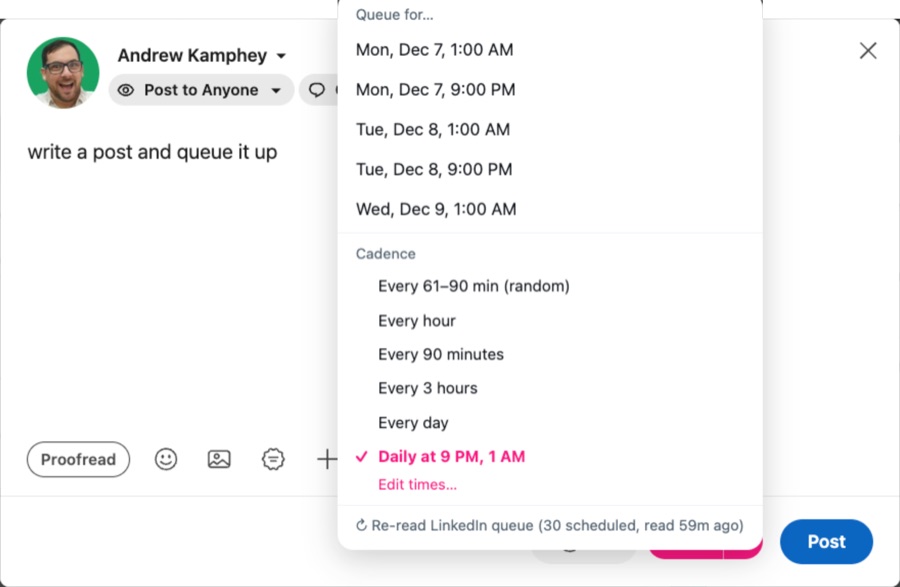
Set it per site in the ▾ menu:
- Every 61 to 90 minutes, at random
- Every hour, every 90 minutes, every 3 hours, or every day
- Daily at set times, like 9 PM and 1 AM. Edit them to whatever you like.
Private by design
No account, no server, no API keys. Queue reads only the times of your scheduled posts, keeps them in your browser, and sends nothing anywhere. The code is open on GitHub. Privacy policy.